Have you ever received a payment through PayPal, only to realize that the amount you actually received was lower than expected?
If you’re a Filipino freelancer working with overseas clients, PayPal can be convenient, but the fees and exchange rate can also take a noticeable chunk of your income.
The good news is that there are ways to reduce how much you lose, especially when receiving payments in USD.
Why Does PayPal Take a Portion?
When a client sends you money through PayPal, you may pay transaction fees, and you can also lose money when PayPal converts your USD to PHP using its own exchange rate.
The important thing is to look beyond the fee shown by PayPal.
The amount you ultimately receive in pesos is what matters.
Here are some ways I use to reduce the amount I lose when receiving PayPal payments.
How I lessen my PayPal Fees
1. Keep Your PayPal Primary Receiving Currency in USD
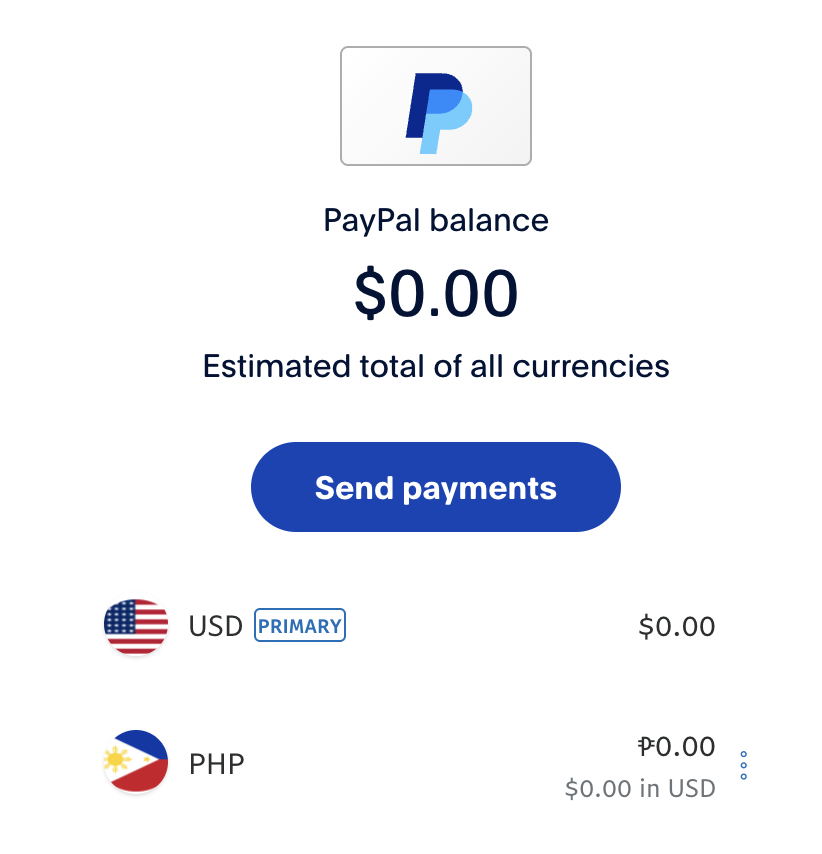
If your overseas clients are paying you in USD, make sure your PayPal primary receiving currency stays in USD instead of letting PayPal automatically convert your payments to PHP.
This is important because you want to keep your payment in USD while it is in PayPal.
For example:
Client sends USD → PayPal keeps your balance in USD → You withdraw/transfer the USD
Instead of:
Client sends USD → PayPal converts it to PHP → You withdraw PHP
Keeping your PayPal balance in USD gives you more control over when and where the currency conversion happens.
I personally would not want PayPal to automatically convert every payment to PHP before I have the chance to compare the exchange rates.
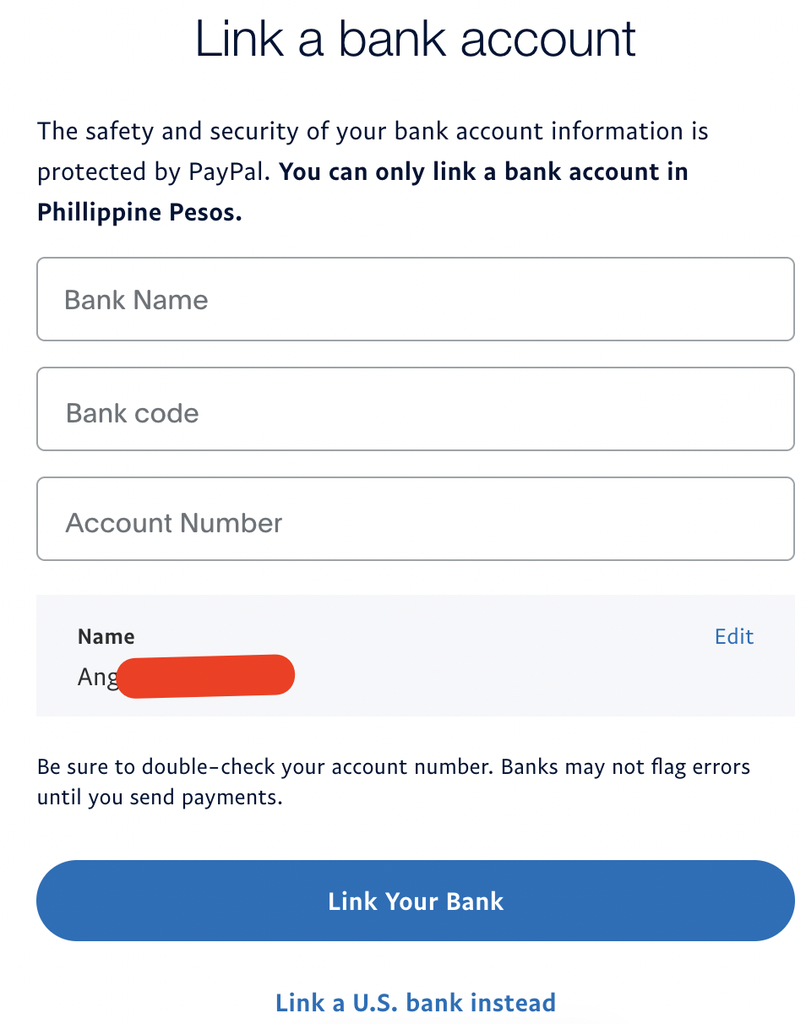
2. Link a Visa Debit Card
Once you’re keeping your PayPal balance in USD, you can link a Visa debit card that supports receiving your PayPal funds.
For example, I use a GoTyme Visa debit card. Other people use a UnionBank Visa debit card.
You can link your card through your PayPal Wallet.
3. Ask PayPal to Change Your Linked Card’s Currency to USD
This is the part that can make a big difference.
After linking your debit card, contact PayPal support and ask them to change the currency of your linked card from PHP to USD.
You can ask something like:
“Could you please change the currency for the card ending in **** to USD? Thanks!”
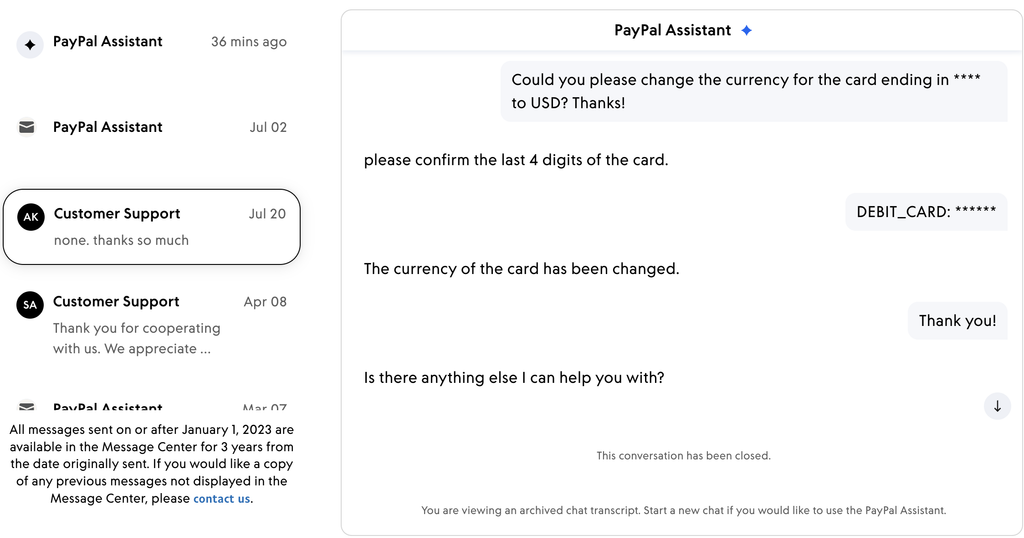
The goal is for your transfer to be processed in USD rather than having PayPal convert the money to PHP first.
So the setup looks like this:
PayPal USD → Linked debit card set to USD → Currency conversion handled outside PayPal
Instead of:
PayPal USD → PayPal converts to PHP → PHP transferred to your card
4. Transfer Your USD to Your Linked Card
Once your linked card has been set to USD in PayPal, you can transfer your PayPal balance to the card.
For GoTyme, for example, the process is done through PayPal’s Transfer Funds option and by selecting the linked GoTyme debit card.
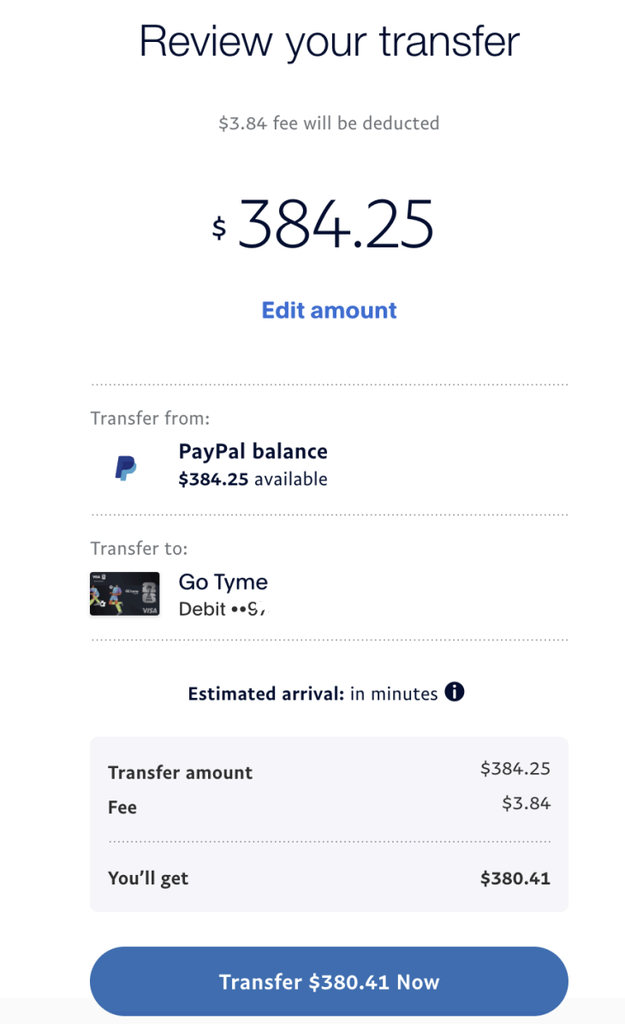
The important part is to check that the transfer is being processed in USD rather than allowing PayPal to convert it to PHP.
Side-by-Side Comparison: My Personal Transaction
I compared the same $384.25 PayPal balance on both routes, so the only differences are the fee, the exchange rate, and the speed. The BDO numbers come from PayPal’s review screen before confirming the transfer, and the GoTyme numbers come from the instant transfer screen and the confirmation in my GoTyme app after the money arrived.
The GoTyme route put ₱509.74 more in my account, which is about 2.2% more than the BDO transfer, even after PayPal’s $3.84 fee.
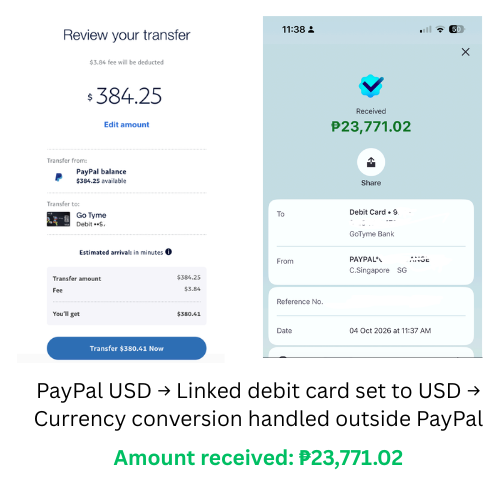
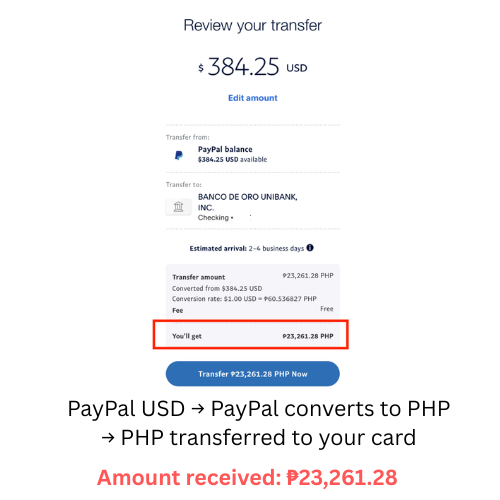
The BDO transfer showed no fee, but PayPal’s rate was about ₱2 per dollar below Google’s, and that’s where the cost was. With GoTyme, about ₱240 of the gap was the $3.84 fee, and the other ₱36 or so came from a rate slightly lower than Google’s.
Don’t Only Look at the PayPal Fee
When comparing your options, look at these three things:
- PayPal’s transaction or withdrawal fee
- The exchange rate being used
- The final PHP amount you actually receive
A method with a small transfer fee isn’t necessarily cheaper if the exchange rate is much worse.
Likewise, a method with a slightly higher fee could still leave you with more pesos if it gives you a better exchange rate.
What If You Don’t Have GoTyme?
You don’t necessarily need GoTyme to try this approach.
The important part is finding a Visa debit card that can be linked to PayPal and supports this type of USD transfer.
Some Filipino freelancers use different banks and digital banks, so compare your available options based on:
- PayPal transfer fees
- Exchange rates
- Transfer speed
- Any bank or card fees
- Whether PayPal allows the linked card’s currency to be changed to USD
You can also ask your bank or PayPal support directly before transferring a large amount.
Don’t Use Risky PayPal Workarounds
You might see suggestions online about asking clients to send payments as gifts or using PayPal’s personal payment options to avoid fees.
I wouldn’t recommend doing this for freelance work.
If you’re receiving payment for services, use the appropriate payment method and focus on reducing your costs through legitimate options such as better currency handling and comparing withdrawal methods.
Ask Your Client to Cover the PayPal Fee
If PayPal is your client’s preferred payment method and the fees are becoming significant, you can also factor the fee into your rate.
For example, instead of simply charging your normal project rate, you can calculate how much you need to receive after PayPal’s fee.
This won’t reduce PayPal’s fee itself, but it can prevent the fee from coming entirely out of your earnings.
A Few Pesos Can Add Up
You may not be able to avoid PayPal fees completely, but you can potentially reduce how much you lose through currency conversion. Keep your PayPal receiving currency in USD, check your linked card’s currency settings, and compare the exchange rate and final PHP amount before withdrawing.
A few extra steps can make a noticeable difference, especially if you’re receiving USD payments from overseas clients regularly.